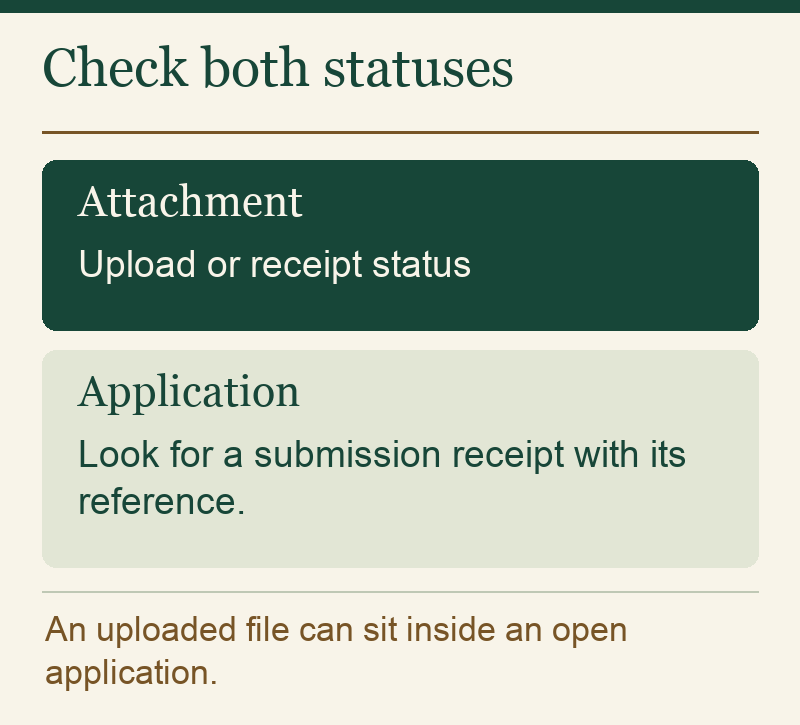
Check the case header
An upload confirmation can belong to one file in a draft. Return to the application summary and verify the child, entry year and whole-case state. If a required section still shows incomplete, read the portal’s instruction for that section.
Write the attachment label and case label on separate lines, using the wording on screen. If you cannot locate a case reference or a whole-application status, set an action to ask admissions to trace this intake before confirming submission to the family.
Save a traceable receipt
Retain the confirmation page or acknowledgement email in the agreed case location. Record the reference, time and place a colleague can find it. A screenshot with identity details deserves the same access limits as the original document.
Investigate a stalled screen
When a browser stops responding after submission, reopen the case status and check for a receipt before pressing submit again. A payment record and an application acknowledgement may arrive separately. Ask admissions to trace the current case if they disagree.
Explain what remains open
A concise update can say the school has received the main application and that a teacher reference still needs matching. This gives the family a clear result without implying admissions has reviewed or accepted the file.
Identify exactly what the message acknowledges
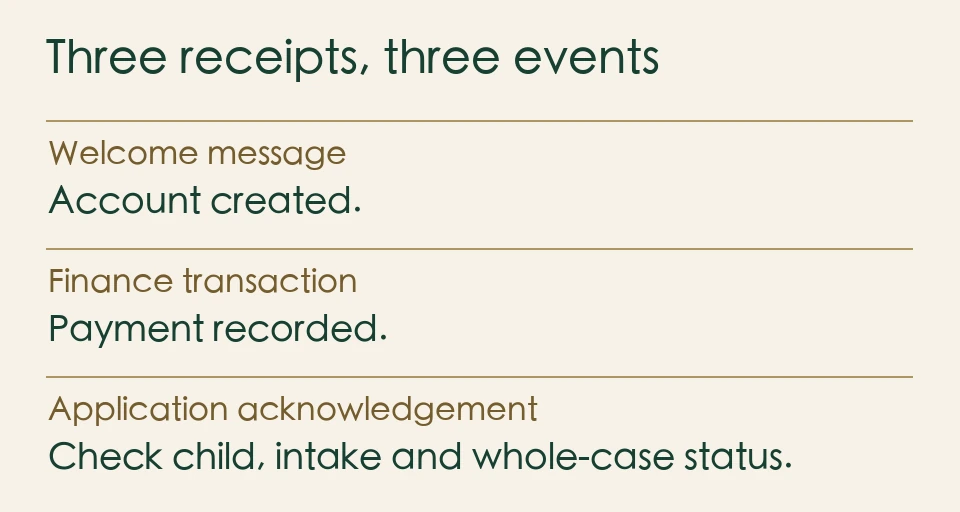
Read the subject and the object of the confirmation. A message thanking someone for registering an account gives them a way back into the school portal. A message confirming a payment acknowledges a financial transaction. A message that names an application and says it has been submitted or received is evidence about the application itself. All three can arrive from the same school on the same afternoon. File each against the event it actually describes.
Look at the student's name, campus, entry term and reference before relying on a status. A family may have an old enquiry, a draft for one sibling and an active application for another. Some systems give a reference as soon as a draft is created. That reference is useful for tracing the case but its existence alone cannot tell you when submission occurred. Pair it with the school's wording about the overall application and the date you checked it.
If there is a summary page, read the top and the bottom. One area might show sections completed while another asks for a declaration or a final confirmation. A row of green indicators can mean the answers are ready for a review screen. Check what the school says those indicators mean. Where a family member must personally make a declaration, give that person the opportunity to read and complete it through the required route. Retain the resulting acknowledgement after the authorised action.
Write a receipt note that another person can use
A practical note answers four questions. Which application does it relate to? What event did the school confirm? When did it confirm it? Where can the colleague find the original? A short locator such as the date and subject of an admissions email can be enough in an appropriately organised case record. Include the application reference if the school provides one. Where the confirmation has no reference, use the campus, entry year, student and time of the event to distinguish it from other enquiries.
Save a readable record in the agreed location without broadcasting a page full of identity details. A family progress message can quote the relevant status and explain what happens next. It rarely needs the entire screen with home address, identification number or other household information visible. If a parent needs a copy of the school acknowledgement, send the appropriate document through the family's agreed channel after checking it identifies only that family's application.
When the acknowledgement is in a language different from the parent’s, preserve the original status beside a plain explanation. “Received” may mean the office has the form, while “complete for review” may depend on a fee or a separate record. If the school has a status legend, read it. If it does not explain whether review has begun, say what the message actually confirms and leave the review stage open. A carefully qualified update gives the family something more reliable than an optimistic translation.
Diagnose a stalled submission without creating a second case
When the page freezes, take note of the action just attempted and the time. Did the parent send the main form, upload a supplement or approve a payment? Preserve any confirmation already visible. Check for an acknowledgement in the authorised mailbox and, when the portal permits, look at the existing application summary. Avoid repeatedly pressing a final button while the first transaction may still be processing. Refreshing a status view is different from repeating a declaration or authorising another charge.
If a payment provider reports success but the school portal still shows a draft, find the transaction reference and the application's separate reference. Ask the school office responsible for the application how the records relate. A pending card entry may change; it also says little about the school's receipt of the academic form. Give the family a time for the next check and explain why another payment would be premature. If finance and admissions handle different parts, ask which office will reconcile them and who will send confirmation.
Near a deadline, record your attempt and contact admissions promptly through its stated channel. A message might read: “We attempted the final submission at the time below for this campus and intake. The payment acknowledgement arrived, but the overall application remains marked draft. Could you confirm whether the application reached you and advise the next action on this existing record?” Keep the message factual. A technical difficulty does not automatically extend a school deadline, so ask explicitly about the timing if the answer will arrive later.
Read the independent items after the main form goes through
A school can receive the main application while waiting for a report from a registrar or a reference from a teacher. Read the remaining item labels individually. Is an item waiting for the family to supply something, waiting for another sender or waiting for admissions to match something it already holds? Follow up with the person who controls the next event. The teacher reference guide gives an example of tracing dispatch without requesting confidential text.
Do the same for an assessment or invitation listed on a case page. A link saying assessment information will follow is not a confirmed appointment. Keep the main submission receipt, then create a follow-up for the separate invitation. If the school later requests an amended attachment, keep the original acknowledgement associated with the main application. The new file may have a separate receipt and date. An amendment need not erase the fact that a particular version was initially submitted.
Fictional example: one charge, two references and a delayed acknowledgement
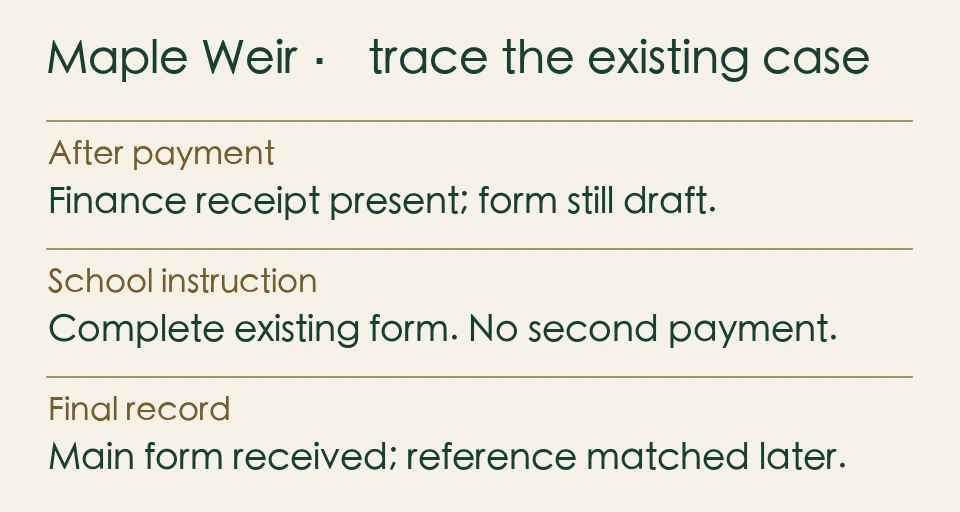
At fictional Maple Weir School, a parent completes a form for an August place, accepts the declaration and authorises the application fee. The payment page displays a transaction number. On returning to the admissions page the browser stops responding. The parent messages the adviser asking whether to start again because another child in the family is also applying and they have several open browser pages.
The adviser asks the parent to identify the child and campus beside the existing application. The younger sibling's draft has a different reference. The parent reopens the older child's summary through the school's normal access route and reads the overall status, which still says draft. The payment acknowledgement identifies the correct child and the finance transaction. The adviser records the two references separately and asks admissions to check the original application. The family leaves the younger child's draft untouched.
Admissions replies that the fee was received but the final form was not recorded. It instructs the family to return to the existing application, review the declaration and complete the final action there, with no further payment. The parent follows the instruction and receives a confirmation naming the application, intake and submitted status. The adviser checks the reference against the original draft and records the new acknowledgement. There is one application and one payment for the older child.
A teacher reference still appears outstanding. The teacher reports using the school's direct invitation the previous day. The adviser asks admissions to match the reference and tells the family: “Maple Weir has confirmed the main application under the existing reference. The fee was credited once. The teacher's submission is being checked separately; there is no action for you tonight.” On the next working day the school confirms the reference has been matched. That new message closes the independent item without changing the original submission date.
Audit the handoff from submission to review
Before leaving the case, state what someone else could prove with the records you have kept. Can they locate the school's whole-application acknowledgement without relying on the family to send the screenshot again? Can they tell whether an outstanding row belongs to the parent, a teacher or admissions? Can they see which deadlines still apply to supplements? If a question cannot be answered, make it the next named enquiry and identify who will check for the reply.
If the family later wants to correct a submitted answer, refer to the existing acknowledgement and ask the school how to amend that application. Use the reference, name the field or attachment concerned and keep the school's response about the correction. Starting again can split the same student's information across two records. A clear parent update can distinguish the original receipt, the correction requested and the school's later confirmation. The family then knows what was submitted on time and what is still being dealt with.